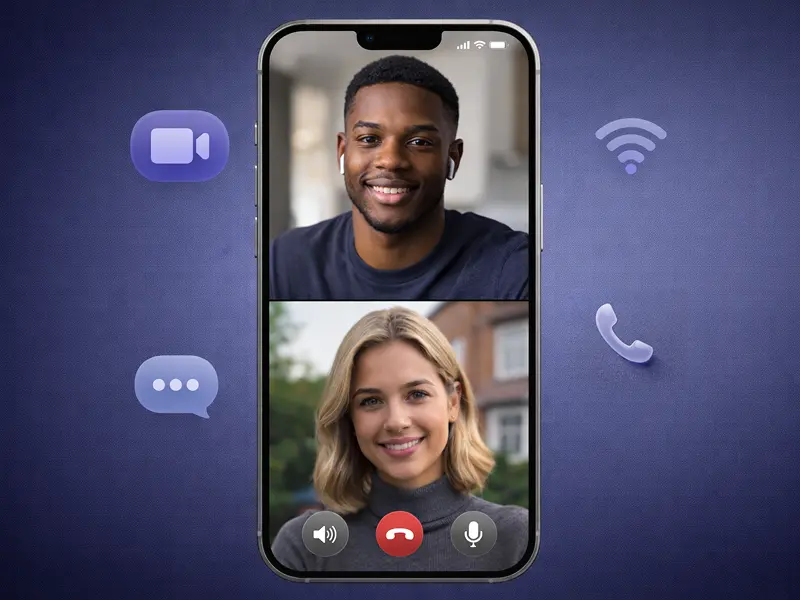
The average professional receives 121 emails and countless instant messages every single day. We are drowning in notifications, yet we often lack the most critical piece of information: Why is this person trying to reach me?
For decades, digital communication has focused on connectivity – making it easier to reach anyone, anywhere. But as spam calls skyrocket and notification fatigue sets in, the focus for 2026 has shifted entirely to context. We don’t just want to know who is calling or messaging; we need to know their intent before we commit our attention.
We’ve analyzed the landscape to bring you the top 10 tools leading this shift.
Let’s get started.
What Is Intent-Based Communication?
Intent-based communication refers to technologies and protocols that surface the purpose of an interaction before the interaction begins.
In traditional communication, context is established after you answer the phone or open the email. In intent-based models, context is the gatekeeper. This can take several forms:
- Visual Cues: Video previews or rich media status updates.
- AI Screening: Bots that ask “Why are you calling?” and relay the answer in real-time.
- Contextual Availability: Calendars that show what you are doing, not just that you are busy.
- Identity Verification: Cryptographic proof that the caller is who they say they are.
These tools reduce anxiety, eliminate spam, and ensure that when we do connect, we are already on the same page.
10 Top Tools for Intent-Based Communication (2026)
We have curated this list based on feature sets, user adoption trends, and their ability to signal intent effectively.
1. FaceCall
Category: Video Caller ID & Identity
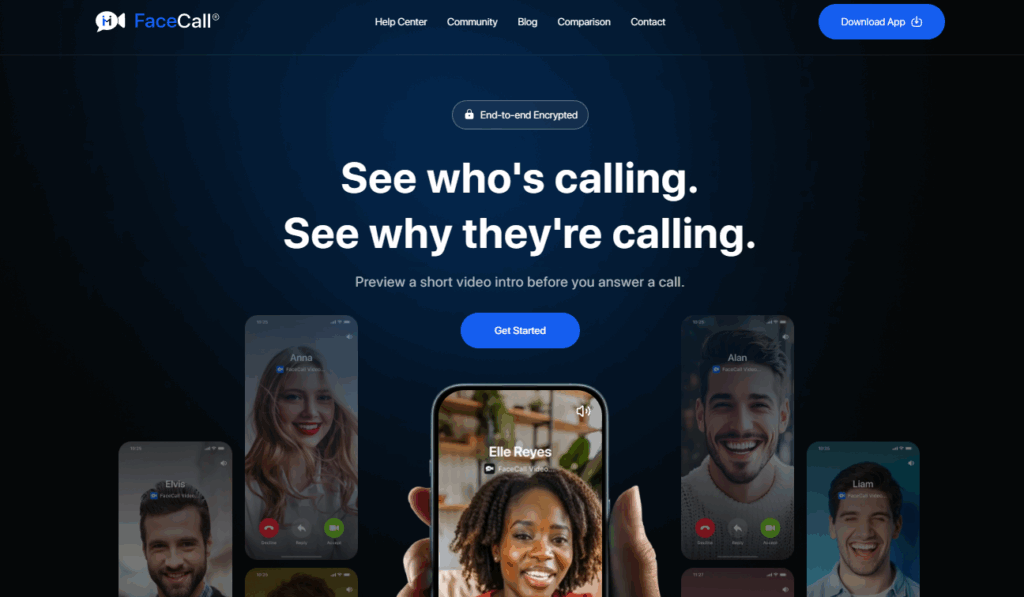
FaceCall is a privacy-first communication platform that replaces the traditional “Unknown Number” screen with a rich Video Caller ID. And truth be told, Video Caller ID is the new (and permanent) communication trend. It allows callers to record a short video hook (a “face intro”) that plays on the recipient’s screen while the phone is ringing.
How it communicates intent: FaceCall solves the “Who is this and what do they want?” problem instantly. Instead of guessing if a call is from a courier, a colleague, or a spammer, you see a 5-second video of your friend saying, “Hey, just checking if you’re free for lunch?” This is the purest form of intent signaling: visual, personal, and verified.
Primary use cases:
- Personal: Friends calling with specific plans rather than vague “catch-up” calls.
- Professional: Freelancers or contractors confirming appointments visually to increase answer rates.
Why it’s relevant in 2026: As AI voice spoofing makes audio-only calls less trustworthy, FaceCall’s verified video protocol provides a layer of trust that text and audio simply cannot match. It reintroduces humanity into the digital handshake.
2. iOS 26 Call Screening
Category: Operating System / Device-Level Screening
What it is: Apple’s latest operating system update, iOS 26, has introduced a native, aggressive Call Screening feature designed to filter out interruptions before they break your focus.
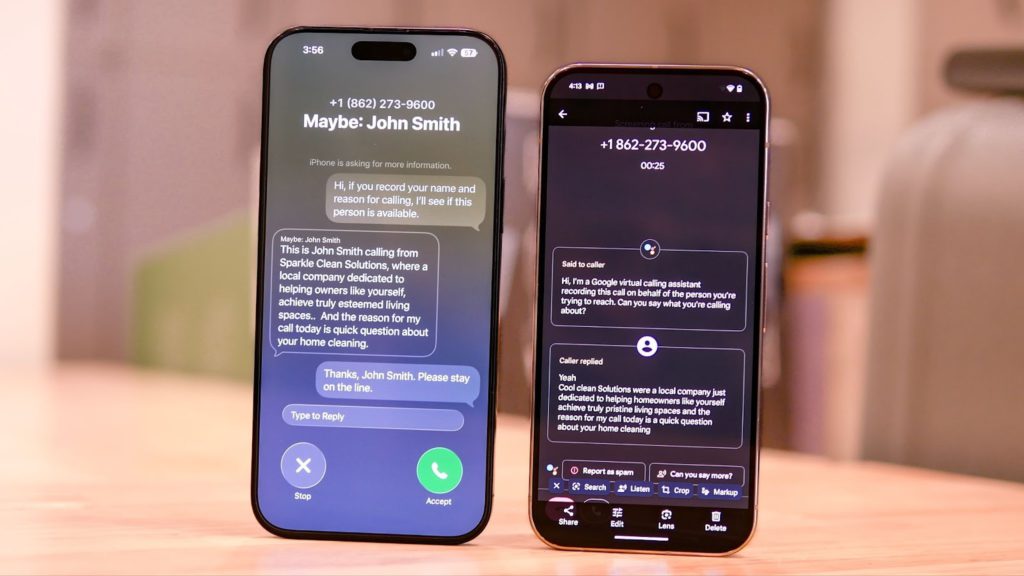
How it communicates intent: When an unsaved number calls, iOS 26 doesn’t just ring; it silently answers and prompts the caller to “Record your name and reason for calling.” This audio is transcribed in real-time and displayed on your lock screen. You can watch the intent appear as text—”Delivery driver at gate”—and decide to pick up, send a quick reply, or ignore, all without the caller knowing you’re there.
Primary use cases:
- Personal Privacy: Filtering out robocalls and unknown numbers.
- Time Management: Deciding if a call is urgent enough to interrupt a meeting.
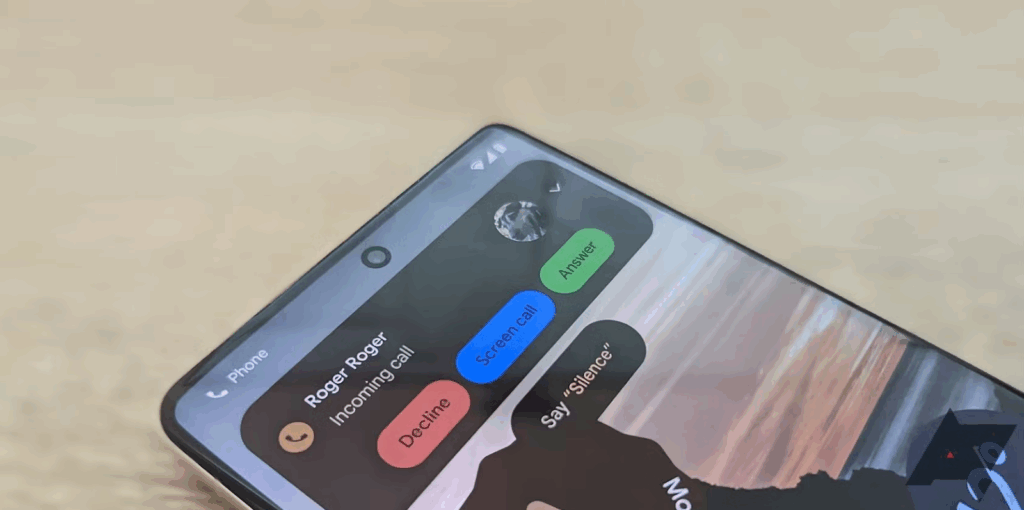
3. Google Pixel Call Assist
Category: AI Call Management
What it is: Google’s Pixel series continues to lead the Android market with Call Assist, a suite of features including “Call Screen” and “Hold for Me,” powered by Google’s Gemini Nano model.
How it communicates intent: Similar to Apple’s implementation but with more granular AI controls, Pixel Call Assist can actively negotiate with callers. If a caller says “It’s urgent,” the AI can probe further: “Do you need to reach them immediately?” It summarizes the back-and-forth interaction and presents you with a succinct “Intent Summary” notification.
Primary use cases:
- Business: Screening inbound leads or inquiries without hiring a receptionist.
- Everyday: Dealing with appointment bookings and logistics.
4. Zoom AI Companion
Category: Meeting Intelligence
What it is: Zoom has evolved from a video conferencing tool into an intelligent workspace. The AI Companion is a digital assistant integrated directly into the meeting experience.
How it communicates intent: Intent isn’t just about starting a conversation; it’s about catching up on one. Zoom AI Companion provides “In-meeting questions.” If you join late, you can ask the AI, “What did I miss?” or “Was my name mentioned?” It summarizes the intent and context of the discussion so far, allowing you to participate immediately without disrupting the flow.
Primary use cases:
- Corporate: Catching up on long all-hands meetings.
- Remote Work: Managing overlapping meeting schedules.
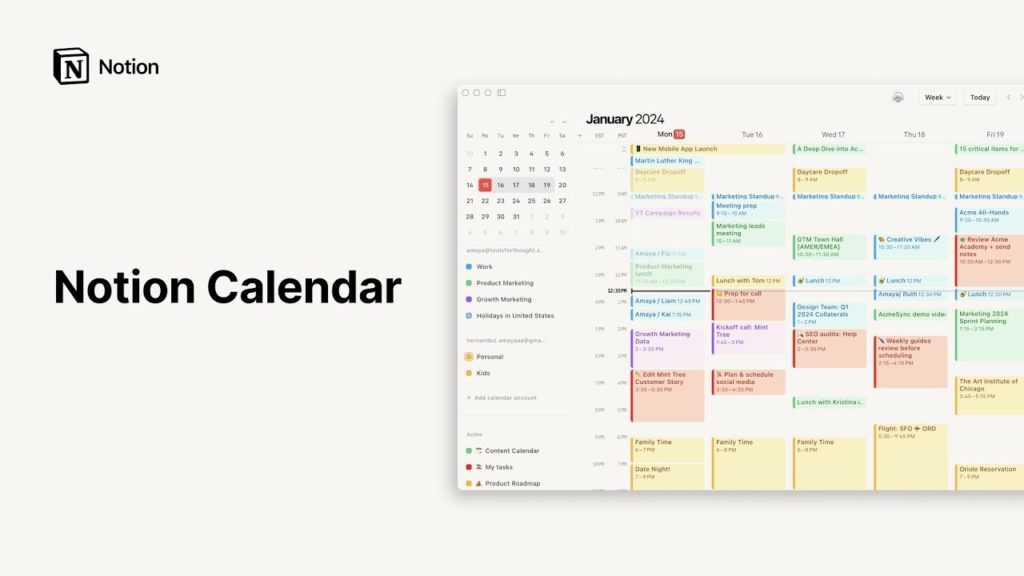
5. Notion Calendar
Category: Contextual Scheduling
What it is: Notion Calendar has deeply integrated the concept of “context” into time management. It links your schedule directly to your documents, projects, and databases.
How it communicates intent: A standard calendar block says “Meeting.” Notion Calendar says “Meeting: Review Q3 Design Sprint,” with the relevant documents attached and a preview of the project status visible in the calendar view. It signals the why behind the time block. Furthermore, its scheduling links allow you to communicate your availability intent—blocking off “Focus Time” that actually prevents others from booking over it.
Primary use cases:
- Project Management: aligning teams on why a meeting is happening.
- Freelancing: Sharing availability with context.
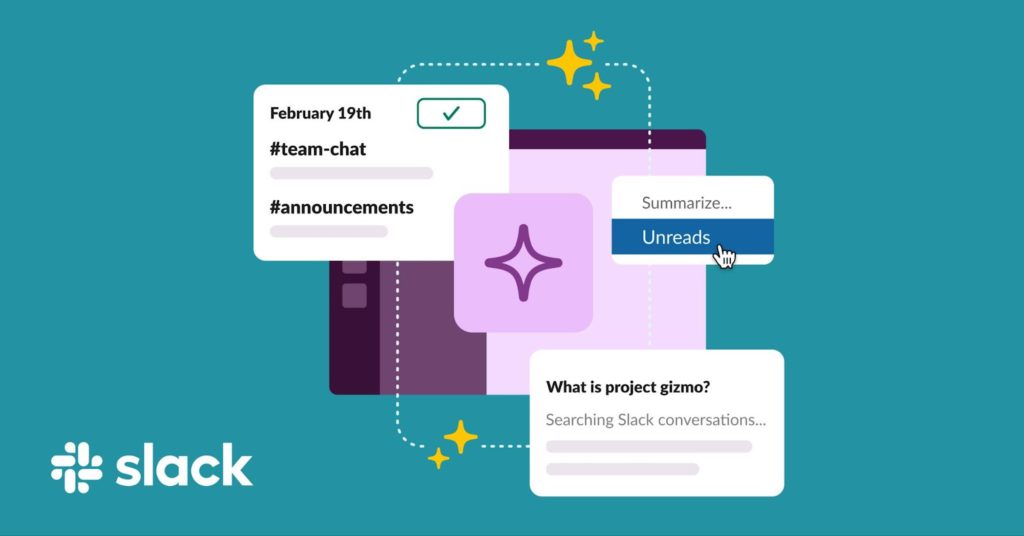
6. Slack AI
Category: Asynchronous Text Summary
What it is: Slack AI is embedded into the enterprise messaging platform to tame the chaos of channels and threads using generative AI.
How it communicates intent: Instead of scrolling through 50 messages to understand a thread, Slack AI generates a “Thread Summary” that distills the conversation into key decisions and action items. It extracts the intent from the noise. It also offers daily recaps of channels, highlighting the most important discussions so you don’t have to read every line to understand the team’s direction.
Primary use cases:
- Enterprise: Catching up after time off.
- Engineering: Quickly understanding the status of an incident report.
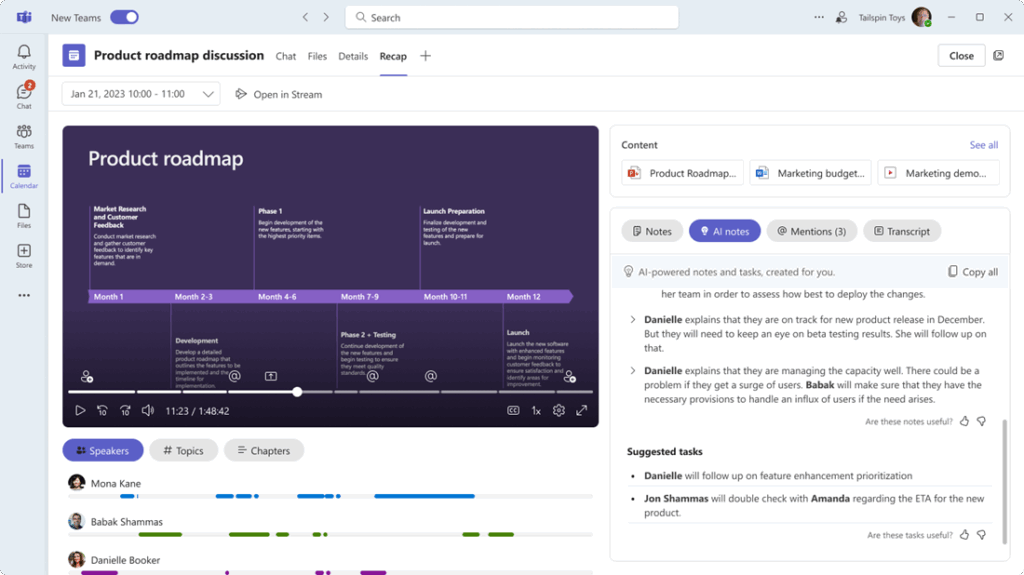
7. Microsoft Teams Intelligent Recap
Category: Enterprise Collaboration
What it is: Part of the Microsoft 365 Copilot ecosystem, Intelligent Recap is a feature within Teams Premium that automates the post-meeting experience.
How it communicates intent: It uses AI to identify “action items” and “suggested tasks” from transcripts. It essentially tells you, “The intent of this meeting for you specifically was to complete X, Y, and Z.” It personalizes the takeaway, filtering out the parts of the meeting that were irrelevant to your role.
Primary use cases:
- Large Organizations: Managing cross-functional projects.
- Sales: Tracking follow-ups from client calls.
8. Loom
Category: Asynchronous Video
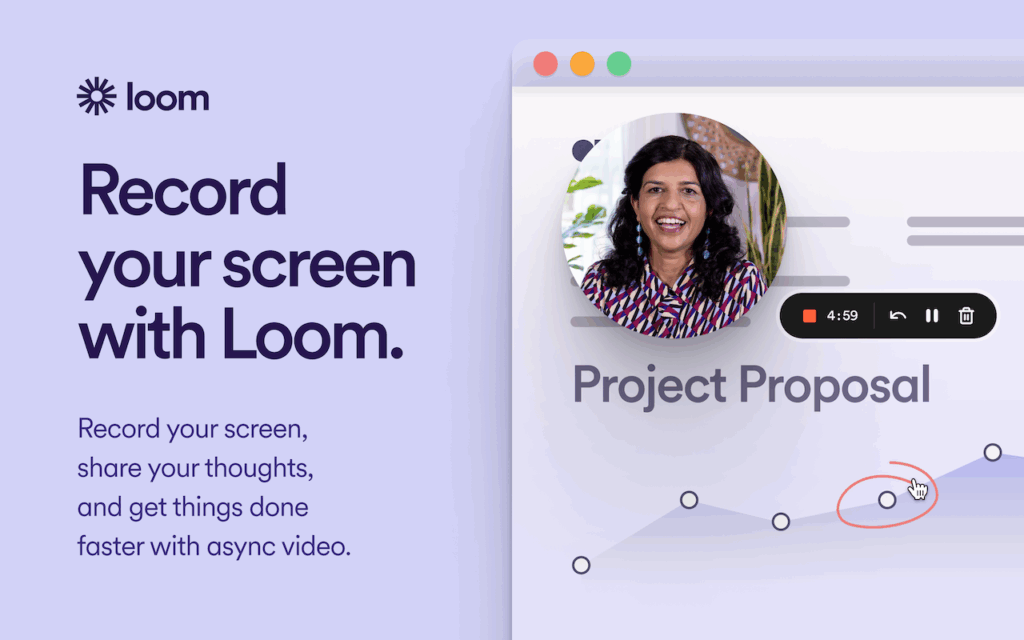
What it is: Loom allows users to record quick videos of their screen and camera. It has become the standard for “show, don’t tell” communication.
How it communicates intent: A Loom video title and its animated preview GIF signal intent instantly. “Bug fix for homepage” with a video of the code is far clearer than a vague email subject line. Loom’s AI features also auto-generate titles and summaries, giving the recipient a “TL;DW” (Too Long; Didn’t Watch) before they even click play.
Primary use cases:
- Design & Dev: Giving feedback on visual work.
- Management: Replaces “this could have been an email” meetings.
Why it’s relevant in 2026: It respects the recipient’s time by compressing complex intent into a consumable, rewindable format.
9. Calendly
Category: Pre-Meeting Routing
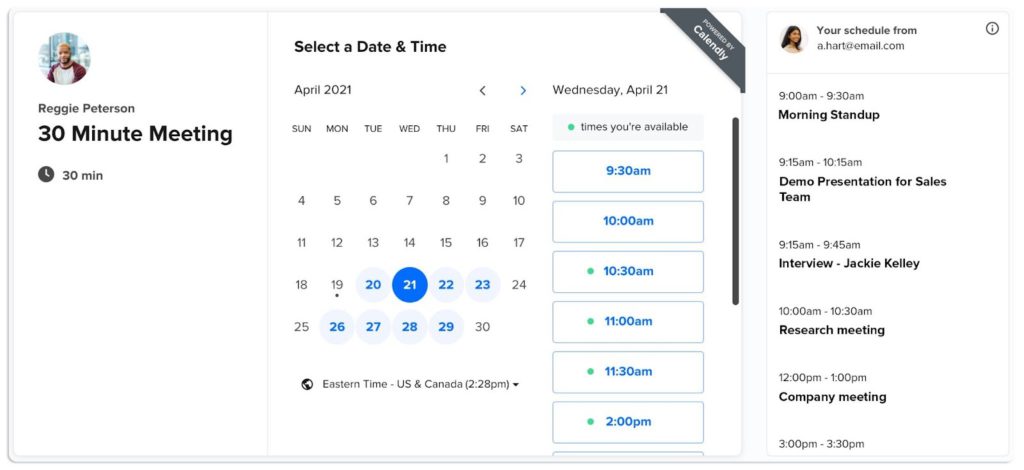
What it is: Calendly is more than a scheduling link; it has evolved into a routing platform.
How it communicates intent: Through “Routing Forms,” Calendly asks the scheduler questions before they can book time. “Are you a new client?” “What is your budget?” Based on the intent signaled by their answers, they are routed to the correct person or given a specific meeting duration. It ensures that by the time the meeting lands on your calendar, the intent has been qualified.
Primary use cases:
- Sales: Qualifying leads.
- Consulting: Triage for client needs.
10. Truecaller
Category: Spam Blocking & Business Identity
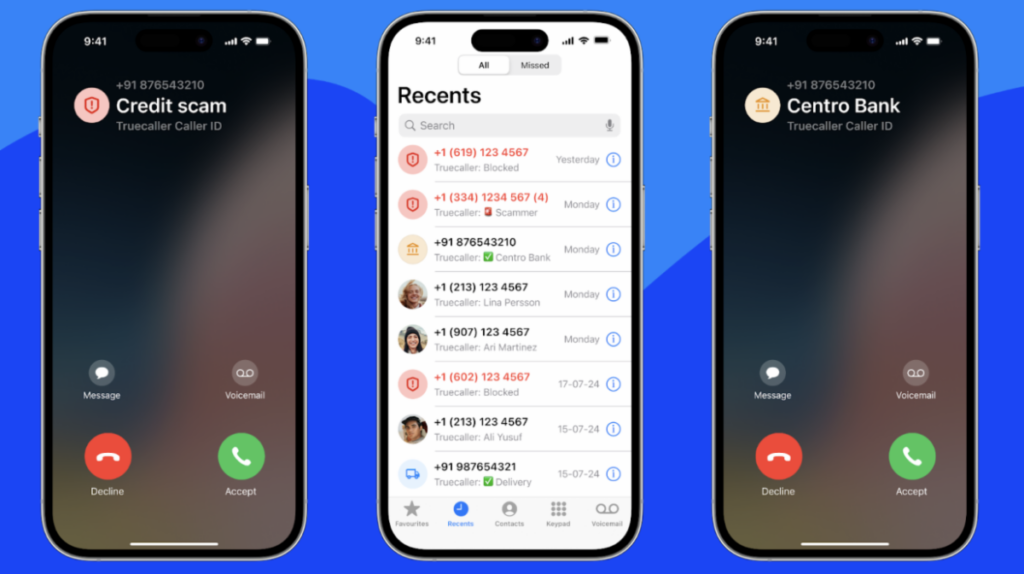
What it is: A global leader in caller ID and spam blocking, Truecaller has pivoted to focus on “Verified Business” calling.
How it communicates intent: For businesses, Truecaller allows them to display their brand logo, a verified badge, and a “Call Reason” (e.g., “Your order is arriving”) on the recipient’s screen. This transforms a suspicious unknown number into a helpful notification.
Primary use cases:
- Logistics: Delivery drivers contacting customers.
- Service Providers: Technicians confirming appointments.
The 4 Pillars of Intent Signaling
Looking at the tools above, we can categorize intent-based communication into four distinct pillars that are reshaping how we connect.
1. Visual Identity (FaceCall, Loom)
This is the most direct form of intent. By using video and rich media previews, the sender removes ambiguity. It leverages our biological preference for visual cues to establish trust immediately.
2. AI Summarization (Slack AI, Teams, Zoom)
This pillar focuses on extracted intent. The AI acts as a mediator, reading or listening to the raw data of communication and distilling it down to its core purpose. This saves the human brain from having to process the noise.
3. Interactive Screening (iOS 26, Pixel Call Assist)
This is negotiated intent. The technology acts as a bouncer, actively challenging the person trying to reach you. It forces the sender to articulate their intent clearly before they are granted access to your attention.
4. Contextual Availability (Notion Calendar, Calendly)
This is pre-emptive intent. By setting boundaries, answering questions, or linking documents before a meeting even starts, these tools ensure that the intent is aligned before the interaction begins.
Clearer Intent, Better Connections
The future of communication isn’t about more messages, faster speeds, or higher resolution. It’s about clarity. It’s about knowing that when your phone rings, it’s for a reason that matters to you.
Tools like iOS 26 and Slack AI are handling the filtering and summarizing, but for the personal, human connections that matter most, we need tools that put identity first.
If you want to experience the future of calling – where you can see the intent before you say hello – start with the tool that pioneered Video Caller ID.
Try FaceCall today and make your intent clear.