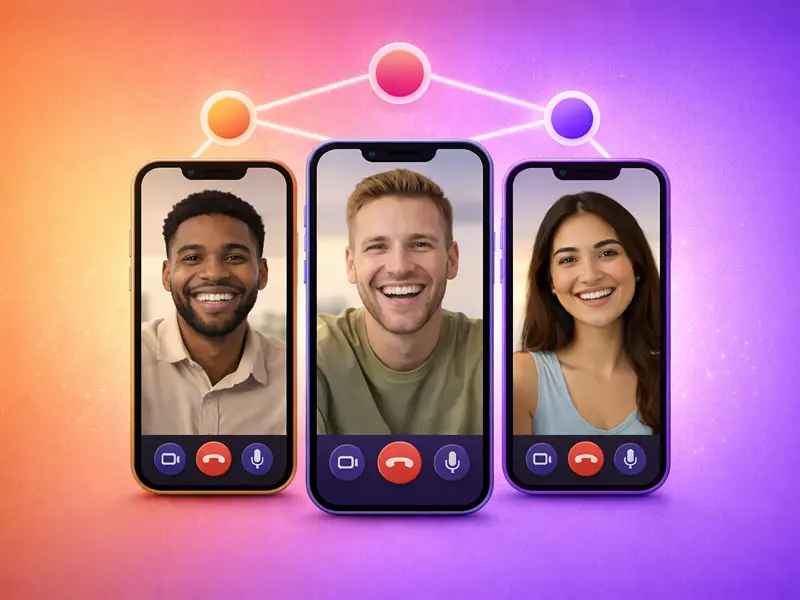
The average user attends 5.4 video calls per week, up from 3.8 just two years ago. That’s a 42% jump. And here’s the thing – 80% of employees use video conferencing tools for one-on-one calls, and 77% rely on them for team meetings.
Small group calls (3-5 people) fall right in that sweet spot between casual catch-ups and formal meetings.
They’re common enough that picking the right app actually matters.
After analyzing participant limits, call quality data, and real-world performance across major platforms, here are six apps that handle 3-way video calling without the usual frustrations.
Something You Should Know:
- Video conferencing reduces travel costs by 30%.
- Mobile usage now accounts for 42% of total video conferencing sessions.
- Group video calling apps have helped 87% of teams speed up their decision-making process.
- Video calls help build trust by conveying empathy and engagement through eye contact and facial expressions.
1. FaceCall
Most 3-way calls start because something needs to be discussed. Not because you scheduled a formal meeting weeks ago.
The problem? You answer a call, realize you need a third person, add them, and now nobody knows why they’re suddenly on a call together.
FaceCall’s video caller ID solves this by letting you attach context before the call even starts. Someone sees “Quick budget question” or “Client approval needed” instead of just your name. For impromptu 3-way calls, this changes everything.
The app supports group calls with up to 20 participants, though it’s optimized for smaller groups where video caller ID makes the most sense. Call quality stays consistent even when switching between WiFi and mobile data, which matters when you’re pulling someone into a call who’s commuting or traveling.
What makes FaceCall different:
- Video Caller ID – Everyone knows the call’s purpose before joining
- End-to-end encryption – All calls are secured by default
- Lightweight design – Works smoothly even on older Android and iOS devices
- Adaptive quality – Maintains clarity across different network conditions
Best for: Spontaneous 3-way calls where context matters, teams that value knowing “why” before joining, anyone frustrated with generic “Jane is calling” notifications.
2. WhatsApp
WhatsApp has over 2 billion calls made daily. That number alone tells you something about reliability.
The app supports video calls with up to 32 participants, but where it actually excels is in calls with 3-8 people. The interface stays clean, audio doesn’t turn into chaos, and video quality adjusts intelligently based on everyone’s connection.
For 3-way calls specifically, WhatsApp’s biggest advantage is that everyone already has it installed. No links to click, no apps to download, no “can you hear me now?” troubleshooting. You just call.
Also Read: Best WhatsApp Alternatives
Key features:
- Group video calls up to 32 participants
- End-to-end encryption on all calls
- Cross-platform support (Android, iOS, desktop)
- Optimized for low-bandwidth networks
Privacy is a cornerstone of WhatsApp. Every video call is protected with end-to-end encryption powered by the Signal protocol.
The downside is the same as the upside: it’s tied to phone numbers. If you’re calling someone who doesn’t use WhatsApp frequently or doesn’t have your number saved, they might not answer, assuming it’s spam.
Best for: Casual 3-way calls with family or friends, international calls where WhatsApp is the default, and anyone prioritizing simplicity over features.
3. Google Meet
Google Meet claimed roughly 29% of the global video conferencing market and had over 300 million monthly active users in early 2025.
For 3-way calls that might expand into something bigger, Google Meet handles the transition smoothly. Start with three people, add two more mid-conversation, and the interface doesn’t break. Everything just works.
The free tier supports up to 100 participants with 60-minute group call limits, which is more than enough for most 3-way scenarios. Video quality holds up well – Google Meet requires 2.6 Mbps for 720p group calls, which is reasonable for modern internet connections.
Notable features:
- Up to 100 participants on free tier
- 60-minute limit for group calls (unlimited for one-on-one)
- Live captions and real-time translations
- Screen sharing with co-annotation
- Direct integration with Gmail and Google Calendar
Where Google Meet shines is in its ecosystem integration. If you’re already using Google Calendar, starting a 3-way call is literally one click from your meeting invite. No copying links, no switching apps.
The catch?
If you’re not already in the Google ecosystem, the setup feels heavier than it needs to be. Creating a Google account, linking email, dealing with permissions – it’s the friction that simpler apps avoid.
Best for: 3-way calls that might grow into team meetings, users embedded in Google Workspace, and situations where screen sharing or live captions matter.
4. FaceTime
FaceTime supports group calls with up to 32 participants simultaneously.
If everyone on your 3-way call uses Apple devices, FaceTime is often the best option. The integration is seamless – you don’t “set up” FaceTime, you just use it. Call quality is consistently excellent, and the interface stays clean even with multiple people.
Recent updates have expanded FaceTime’s reach beyond the Apple ecosystem through web links. Android and Windows users can now join via browser, though they can’t initiate calls. It’s not perfect cross-platform support, but it’s better than nothing.
Key capabilities:
- Group calls with up to 32 participants
- FaceTime Audio for superior voice quality
- SharePlay for watching content together
- Automatic quality adjustment
- Pre-installed on all Apple devices
The limitation is obvious: if one person in your 3-way call uses Android, the experience becomes noticeably worse for them.
They’re stuck in a browser, features don’t work quite right, and it feels like being the odd one out.
Best for: Apple-to-Apple 3-way calls, families with multiple Apple devices, casual calls where ease of use matters more than feature depth.
5. Zoom
Zoom dominates the group video calling market, having grabbed a total of 55.91% of the market share in 2025.
For 3-way calls that need recording, breakout discussions, or screen sharing with annotations, Zoom delivers. The free tier supports up to 100 participants with a 40-minute limit for group meetings.
The 40-minute limit sounds restrictive, but for most 3-way calls, it’s actually reasonable. Quick check-ins, client updates, team syncs – they rarely need more than 40 minutes. And if they do, you just start a new meeting.
Professional features on free tier:
- Up to 100 participants
- Screen sharing with co-annotation
- Virtual backgrounds and filters
- Whiteboarding tools
- Call recording (local only on free tier)
- 40-minute limit for groups, unlimited for one-on-one
In meetings with more than 10 participants, 42% of users report decreased video quality. But for 3-way calls specifically, Zoom maintains quality well. The platform was built for larger groups, so handling three people is well within its comfort zone.
The downside is that Zoom feels like overkill for casual 3-way calls. The interface is designed for meetings, not conversations. Waiting rooms, meeting IDs, security settings – it’s all necessary for large groups but feels heavy when it’s just three people.
Best for: Professional 3-way calls that need recording or screen sharing, situations where the 40-minute limit isn’t a constraint, and anyone already comfortable with Zoom’s interface.
6. Microsoft Teams
Microsoft Teams obtained 23% of the video conferencing market share in 2025.
If your 3-way call involves documents, spreadsheets, or collaborative editing, Teams handles it natively. The free tier supports up to 100 participants with 60-minute group call limits.
One of Teams’ standout features is its integration with Microsoft 365 apps. You can collaborate on Word, Excel, and PowerPoint documents directly within the platform, eliminating the need to juggle between multiple apps.
Core features on free tier:
- Up to 100 participants
- 60-minute limit for group calls
- Screen sharing and virtual backgrounds
- File sharing with cloud storage
- Integration with Microsoft 365 apps
- Automated meeting transcription
For 3-way calls that naturally involve document review or collaborative editing, Teams removes friction. No “can you open the file?” or “are you seeing my screen?” – everyone’s looking at the same thing in real-time.
The problem is that Teams assumes you want a full collaborative workspace. For a quick 3-way call to make a decision or catch up, the interface feels cluttered. There are too many buttons, too many options, too much going on.
Best for: 3-way calls involving document collaboration, teams already using Microsoft 365, business contexts where meeting transcription matters.
What Actually Makes 3-Way Calls Work?
The technical requirements for 3-way video calling aren’t dramatically different from one-on-one calls, but small inefficiencies get amplified.
Audio synchronization becomes critical. When three people talk, even tiny delays create overlaps that make conversations painful. The best apps handle this through adaptive jitter buffers that smooth out network inconsistencies.
49% of users report experiencing audio issues at least once per week during video calls. For 3-way calls specifically, audio problems are more disruptive than in one-on-one conversations because you can’t easily tell who’s experiencing the issue.
Video quality matters less than you’d think. Most 3-way calls don’t need 1080p for everyone. The real requirement is consistent quality – all three people seeing roughly the same video quality, adjusted intelligently based on bandwidth.
Bandwidth requirements scale linearly with participants, but not equally. The host typically needs higher upload speeds since they’re sending video to multiple people. For 3-way calls, expect to need roughly 3-4 Mbps upload and 2-3 Mbps download for smooth HD quality.
The Bottom Line
Every app on this list handles basic 3-way video calling well enough. Your choice depends on what happens before and during the call.
If knowing why someone’s calling matters, FaceCall’s video caller ID prevents the awkward “so… what’s this about?” moment when the third person joins.
If everyone already uses the same messaging app, WhatsApp or Telegram make starting a 3-way call frictionless.
If you’re deep in Google or Microsoft’s ecosystem, Meet or Teams integrate better with tools you’re already using.The most reliable 3-way video calling app isn’t the one with the most features – it’s the one that removes friction from the specific situation you’re in. And what better way to do it than downloading FaceCall?