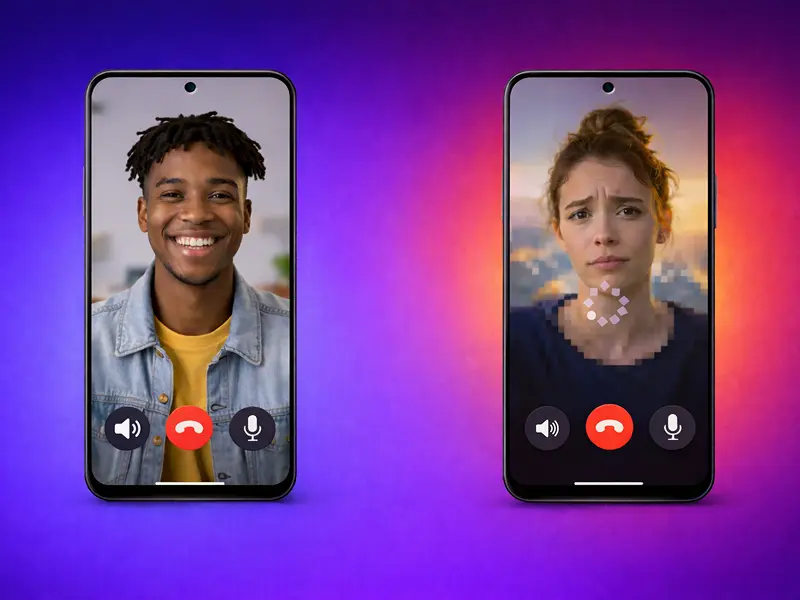
Most people in the US have a love-hate relationship with their smartphones. We love the connectivity, but we hate the intrusion. When your phone vibrates on the desk, your first instinct isn’t curiosity. It is a suspicion.
You see a 10-digit number you don’t recognize. You think to yourself, “If it is important, they will leave a voicemail.” Then you realize that you haven’t checked your voicemail in three months.
This is the “Identification Crisis” of 2026.
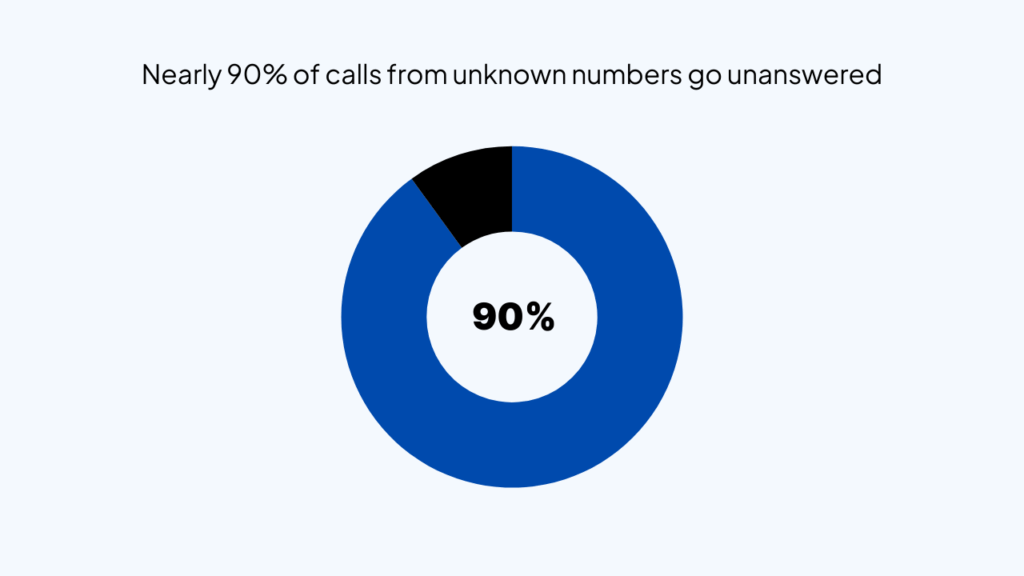
Recent data shows that 90% of Americans generally do not answer calls from unknown numbers.
We are living in an era where the phone call – the most basic unit of human connection – is being killed by a lack of context.
Traditional video call apps haven’t solved this. They have just moved the problem from audio to video.
Today, I am going to show you the 5 best 1v1 video call apps. I will show you which ones build trust, which ones waste your time, and why one specific app is changing the rules of the game.
Let’s get started.
An Important Overview
Before we look at the apps, we need to understand why our behavior has changed.
A decade ago, a ringing phone was an invitation. Today, it is a demand for your attention without an explanation. In the US, the rise of sophisticated robocalls and “spoofing” has trained our brains to view the incoming call screen as a threat to our productivity.
When you receive a 1v1 video call request from someone not in your contacts, your brain goes through a rapid-fire categorization process:
- Is this someone I know?
- Is this a salesperson?
- Is this a mistake?
Because most apps provide zero context before you answer, the default answer is “No.”
This is a massive problem for professionals. If you are a consultant, a real estate agent, or a freelancer, your livelihood depends on people picking up the phone. If they don’t know it’s you, they won’t answer.
The apps that will win in 2026 are the ones that bridge this “Context Gap.” They don’t just facilitate the call; they facilitate the introduction.
1. FaceCall
If you want to move the needle on your answer rates, you have to look at FaceCall’s Video Caller ID.
FaceCall is not just another video calling app. It is a communication layer that sits on top of your existing identity. While other apps focus on what happens during the call, FaceCall focuses on what happens before the call.
The Video Caller ID is designed specifically to solve the “Unknown Number” problem that is currently crippling phone communication in the US.
The Power of Video Caller ID
Imagine you are calling a new lead. In any other app, they see your name or a blank screen. With FaceCall, their phone screen lights up with a 5-second video of you.
You might be waving and saying, “Hey, it’s Sarah from the design team, calling about your project!”
The recipient instantly sees your face, hears your voice, and understands your intent. The suspicion is replaced by recognition. This is the single most effective way to build trust in a split second.
Key Features of FaceCall:
- Video Caller ID: This is the flagship feature. You record a short video that plays automatically on the recipient’s screen when you call. It turns a cold call into a warm introduction.
- Caller Intention Tags: Sometimes a video isn’t enough. FaceCall allows you to attach a “Tag” to your call. You can select “Quick Question,” “Urgent,” or “Business.” This tells the recipient exactly how much of their time you are about to take.
- AI Missed-Call Assistant: This is a game-changer for professionals. If the person misses your call, the AI takes over. It delivers your personalized video intro or a message in your voice to their inbox. You never have to explain “Why was I calling?” because the app already did it for you.
- High-Definition Mobile Optimization: FaceCall is built for the “On-the-Go” professional. It uses adaptive bitrate technology to ensure that even if you are on a spotty 5G connection in a moving car, the video remains stable and the audio remains crisp.
FaceCall is the only app on this list that treats the “Caller ID” as a piece of content. It understands that your face is your most valuable business card.
2. FaceTime
For the millions of iPhone users in the US, FaceTime is the default. It is deeply integrated into the iOS ecosystem, making it the path of least resistance for casual 1v1 calls.
However, its simplicity is also its limitation. It is a “closed loop” system. If you are trying to reach someone on an Android device, the experience is significantly degraded.
- System Integration: It is built into the dialer. You don’t have to “open” an app to receive a call.
- Spatial Audio: In 2026, FaceTime’s audio processing is elite. It makes it feel like the person is in the room with you.
- Continuity: You can start a 1v1 call on your iPhone and hand it off to your Mac or iPad with a single tap.
- End-to-End Encryption: Apple’s commitment to privacy remains a top selling point for security-conscious US users.
- The Constraint: It offers zero “Intent” features. You have no way of telling someone why you are calling before they pick up, leading to the same “Unknown Caller” anxiety as a regular phone call.
3. WhatsApp
WhatsApp is no longer just for international travel. It has become a secondary phone line for many Americans.
It is reliable and functional, but it has become increasingly cluttered as Meta tries to turn it into a “Super App.”
- Universal Access: It works across iOS and Android perfectly, which is essential for diverse teams.
- Video Messaging: You can send short circular video snippets instead of texting, which is a great way to provide context after a call is missed.
- Low-Bandwidth Mode: WhatsApp is excellent at maintaining a call even when your data speed drops significantly.
- Status Integration: You can see if someone is “Online” before you call, which helps in timing your 1v1 interactions.
- The Constraint: WhatsApp is currently plagued by business spam in the US. Because anyone can message you if they have your number, users are becoming more hesitant to answer WhatsApp calls from unverified accounts.
Also Read: Best WhatsApp Alternatives
4. Zoom Mobile
Zoom is the app that defined the remote work era.
On mobile, it is a robust tool for 1v1 deep dives, but it often feels too formal for a quick “check-in” call. It is a “scheduled” app in a “spontaneous” world.
- Screen Sharing: Zoom’s mobile screen sharing is arguably the best. If you need to show a client a document or an app walkthrough 1v1, this is a strong choice.
- Virtual Backgrounds: Their AI-powered background removal is the most polished, allowing you to take professional calls from your car or a messy kitchen.
- Meeting Recording: You can record your 1v1 sessions and have the transcript automatically emailed to you via their AI Companion.
- Touch Up My Appearance: A small but popular feature in the US that uses soft-focus filters to make you look more “camera-ready” on the fly.
- The Constraint: Friction. To start a Zoom call, you usually need to send a link, the other person has to click it, join the meeting, and wait for the audio to connect. It takes too many steps for a simple 1v1 conversation.
5. Google Meet
If you are one of the millions of US businesses running on Google Workspace, Meet is the logical choice. It is fast, browser-based, and integrates with everything you already use.
- Calendar Sync: If you have a meeting on your calendar, the “Join” button is front and center on your mobile home screen.
- Live Captions: Their real-time transcription is incredibly accurate, which is a lifesaver if you are taking a 1v1 call in a loud environment like an airport.
- In-Call Messaging: You can share files from your Google Drive directly in the call chat window.
- Low Light Adjustment: Google uses AI to brighten your video if you are in a dark room, ensuring you always look clear to the recipient.
- The Constraint: Like Zoom, it lacks the “spontaneity” of a phone call. It is designed for meetings, not for the quick, visual outreach that FaceCall facilitates.
What to Avoid in 2026: The Red Flags
The app market is flooded with “free” video calling tools. But in 2026, free often comes with a hidden cost. Here is what you should avoid when choosing a 1v1 communication tool:
1. Apps That Require Contact Scraping
If an app asks for permission to upload your entire contact list to its servers just so you can make a call, walk away. In the US, this data is often sold to third-party marketers, leading to even more spam. Look for apps like FaceCall that allow you to connect without compromising your entire network’s privacy.
2. High-Friction “Walled Gardens”
If you choose an app that requires the recipient to have the same app installed, you are limiting your reach. In a professional setting, you cannot expect a client to download a new app just to talk to you for five minutes. Choose tools that offer a web-bridge or “No-App” functionality.
3. Apps Without Intent Features
In 2026, “blind calling” is a dead strategy. Any app that doesn’t allow you to provide context – whether through a Video Caller ID or an Intention Tag – is setting you up for failure. If the app doesn’t help you get answered, it isn’t doing its job.
The “Visual Intent” Strategy: Why Context is King
I want to dive deeper into why FaceCall’s approach is so effective for the American audience.
In the US, we value two things above all else: Time and Authenticity.
When you use a traditional app, you are asking for the recipient’s time without proving your authenticity. You are a number. A string of digits.
When you use FaceCall, you lead with your authenticity. By showing your face in the Video Caller ID, you are making a “vulnerability deposit.” You are saying, “Here is who I am, and here is exactly why I am bothering you.”
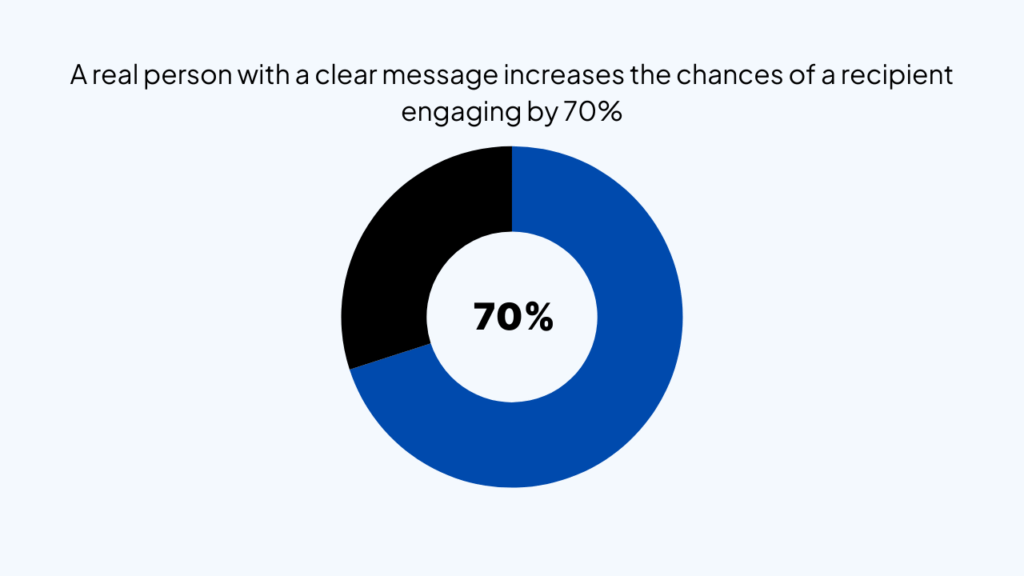
This triggers a different psychological response. Instead of the “Fight or Flight” response triggered by an unknown number, the recipient experiences a “Recognition Response.” Even if they don’t know you personally, the fact that you are a real person with a clear message makes them 70% more likely to engage.
Actionable Tip: The 3-Second Rule for Video Intros
If you are using FaceCall for business, don’t make your intro video a commercial. Keep it under 5 seconds. Smile, use their name if possible, and state your one-sentence intent.
Example: “Hey Jim, calling about the contract I sent over this morning!”
This is the “Goldilocks Zone” of communication – not too long to be annoying, but just enough to be helpful.
Managing Your Digital Reputation in a Video-First World
Your choice of app also reflects on your personal brand. If you are still using a laggy, low-resolution app for 1v1 client calls, you are sending a message that you don’t value quality.
In 2026, video performance is a proxy for professional competence.
This is why I emphasize the technical stack of an app. FaceCall’s mobile optimization isn’t just about “looking good.” It’s about ensuring that your message isn’t interrupted by a “Connecting…” screen.
When your Video Caller ID plays smoothly on their phone, it signals that you are using cutting-edge tools. It shows that you respect their time enough to provide a high-quality experience from the very first second.
The Bottom Line
Stop making “Blind Calls.” The era of the mystery 10-digit number is over. Whether you are calling a friend or a high-value prospect, lead with your face and your intent.
Communication is about connection, and you cannot connect with someone who is too afraid to answer the phone.
And there’s no better way to have an effective (and intentful) conversation than FaceCall’s super powerful video caller ID feature.