
As a consultant, you are often approached by your responsiveness and the clarity of your insights.
Yet, the very tools meant to help us connect are often the ones causing the most friction.
Most communication tools are easy to pay for and extremely difficult to setup.
In fact, becoming familiar with your own ecosystem takes a lot of time. And the most important part is that in most cases (esp when it comes to potential leads), you don’t have time to waste.
Statistics show that responding to a lead within five minutes makes you 21 times more likely to qualify that prospect than waiting just 30 minutes.
The problem?
Most video conferencing tools are “silent” until you pick up, leaving you blind to the context of the call.
We compared the top 6 video conferencing platforms for consultants, focusing on how they help you manage focus, capture leads, and bill more effectively.
1. FaceCall: The Consultant’s “Context Engine”
FaceCall takes the #1 spot because it is the only app that addresses the “Consultant’s Dilemma”: the need to be accessible without being constantly interrupted.
In consulting, a call could be a $50k project inquiry or a quick question about a slide deck.
Traditional apps force you to guess.
FaceCall’s Video Caller ID changes the game by allowing your clients or leads to record a 5-second “Visual Why” that plays on your screen before you answer.
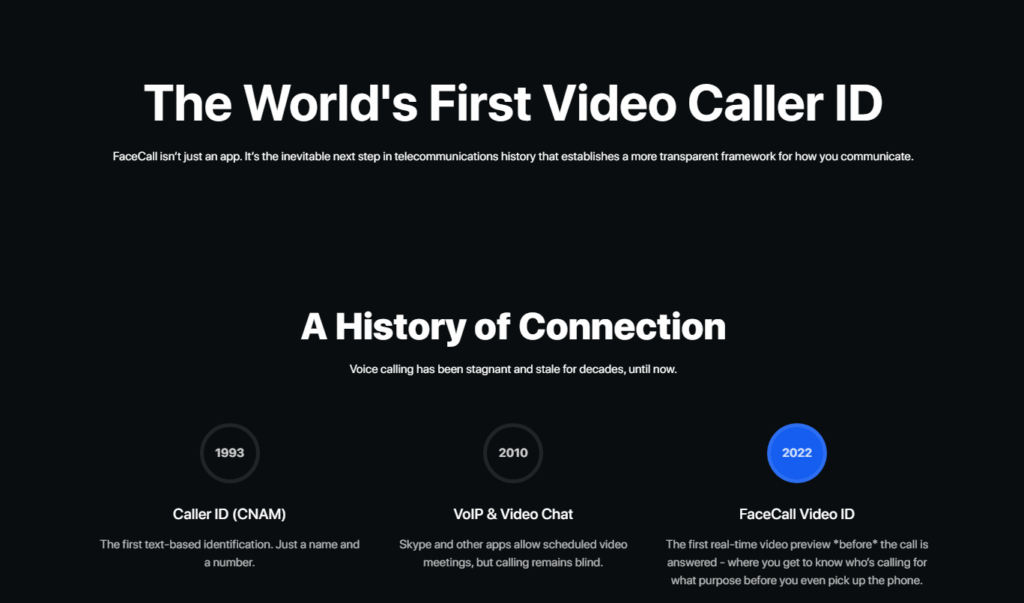
Imagine you’re in the middle of a deep-focus analysis for a Tier-1 client. Your phone rings. Instead of a generic contact name, you see your prospective client saying, “Hey, just saw the proposal, I have one quick question on the budget!”
You now have the context to decide: do you break your flow for a 1-minute conversion, or don’t answer?
This proactive context is why FaceCall is the ultimate tool for consultants who need to balance high-stakes delivery with aggressive business development.
Key Outcome-Driven Features:
- Video Caller ID (The Wedge): Provides instant intent. Clients tell you why they are calling before you answer, eliminating the “blind” interruption and reducing call anxiety.
- Live Translation for Global Advisory: Perfect for consultants working with international offshore teams or cross-border clients; it translates live video speech in real-time.
- Security & Privacy: FaceCall requires a secure phone number registration, ensuring that your consulting calls remain private and professional.
Note: FaceCall is only available for Android and iOS users.
2. Zoom
Zoom remains the industry standard for “The Big Presentation.”
When you are conducting a multi-stakeholder workshop with 50+ participants, Zoom’s stability is unmatched.
It has transitioned from a simple video tool into a comprehensive platform with AI-driven “Companion” features that summarize meetings and track action items.
However, Zoom’s weakness for consultants is “Meeting Bloat.”
Because it is so ubiquitous, it often leads to a calendar full of “half-hour” slots that could have been handled in seconds.
For a consultant, every Zoom link represents a formal commitment of time, which can actually slow down the sales cycle for new leads who just want a quick “vibe check” before signing a retainer.
Key Outcome-Driven Features:
- Reliable Breakout Rooms: Essential for consultants running strategy workshops or team-building exercises.
- AI Companion: Automatically generates meeting minutes and lists “next steps,” saving you hours of non-billable administrative work.
- High-Quality Recording: Allows you to archive sessions for clients who couldn’t attend, creating a permanent value-add for your service.
3. Microsoft Teams
If your consulting firm is embedded in a corporate enterprise environment, Teams is likely your primary workspace.
Its strength lies in its “All-in-One” nature; it isn’t just for calls; it’s where your files, chats, and project plans live.
This “single pane of glass” approach can significantly reduce the 9% of working time typically lost to switching between apps.
The downside for independent consultants is the “Always-On” trap. Teams is designed for internal employees, meaning it can be difficult to maintain boundaries with clients who expect you to be available for a “chat” at all hours. It lacks the “gatekeeping” layer provided by a Video Caller ID, often leading to “context switching” that erodes your focus efficiency (which has dropped from 65% to 62% globally in the last year).
Key Outcome-Driven Features:
- Native Office 365 Sync: Open a PowerPoint during a call and co-edit it with your client in real-time without leaving the app.
- Enterprise Security: Meets the stringent compliance requirements of BFSI and Healthcare clients.
- Persistent Collaboration: Keeps all files and chat history from a project in one searchable location.
4. Google Meet
Google Meet is the choice for the “Agile Consultant.”
There is no software to install for your clients, which removes the “I can’t get into the meeting” friction that plagues many initial sales calls.
It is remarkably simple and integrates perfectly with Google Calendar – the heartbeat of many independent consultancies.
While it is frictionless, it can sometimes feel “too simple” for high-ticket consulting.
Clients paying five or six figures for advice often expect a more “branded” or “intentional” experience. Meet also lacks the proactive lead-capture features of FaceCall, meaning you’re still reacting to your calendar rather than managing your intent.
Key Outcome-Driven Features:
- Browser-Native: Clients can join with a single click, which is crucial for lowering the barrier to entry during discovery calls.
- Google Gemini Integration: Uses AI to improve your lighting and audio quality, ensuring you look professional even in a hotel room or home office.
- Live Captions: Useful for international calls where accents or poor audio might otherwise lead to a misunderstanding of project requirements.
5. Webex by Cisco
Cisco Webex is often the “mandatory” choice for consultants working with government agencies or large-scale legacy corporations.
Its audio and video quality are frequently cited as the best in the industry, and its security protocols are the most robust.
However, for the modern consultant, Webex can feel “heavy.”
The onboarding process is more complex than Google Meet or FaceCall, and the interface can be intimidating for casual users.
It’s an “Integrated System” that works best when you are part of a larger corporate ecosystem, but it can be overkill for a boutique consultant who needs to be fast and mobile.
Key Outcome-Driven Features:
- Superior Audio/Video Fidelity: Uses advanced noise-cancellation and gesture recognition to keep the focus on you, not your background.
- Real-Time Translation: Similar to FaceCall, it offers powerful translation, though often at an enterprise-level price point.
- Whiteboarding & Annotation: Excellent for consultants who need to “mark up” documents or flowcharts live during a call.
6. WhatsApp
Almost every consultant eventually ends up on WhatsApp.
It is the “informal” layer of business communication where the real decisions are often made. It’s great for a quick “On my way” or “Got the file,” but it’s a dangerous tool for primary video conferencing.
The biggest issue for consultants is “Context Zero.”
When a client calls you on WhatsApp video, you have no professional layer between your personal life and your work. There is no Video Caller ID to tell you if the client is calling to give you a “Green Light” on a project or to voice a complaint. This lack of structure leads to burnout and a lack of professional boundaries.
Key Outcome-Driven Features:
- Global Access: If your client has a smartphone, they have WhatsApp.
- End-to-End Encryption: Crucial for protecting client confidentiality during quick syncs.
- Low-Data Mode: Keeps you connected even when you’re working from a client site with a spotty Wi-Fi connection.
Also Read: WhatsApp Alternatives
The Bottom Line
In consulting, your most valuable asset is your uninterrupted attention. Every time you answer a call without knowing the intent, you are risking a 23-minute productivity “hangover” as you try to get back to your original task.
While legacy apps like Zoom and Teams are necessary for the administrative “work” of consulting, they aren’t built for the “sales” and “focus” side of the business.
FaceCall’s Video Caller ID is the only tool that allows you to be responsive to your clients while protecting your deep-work sessions, which is one of the many use cases of FaceCall.
Don’t let your day be dictated by unknown numbers. Reclaim your focus and provide your clients with the context they deserve.
Download FaceCall for Android or iOS today and start seeing the “Why” before you say “Hello.”