Here’s something most people don’t know about HD video calling: the difference between 720p and 1080p resolution doubles your bandwidth consumption.
Yes,
A standard 720p call requires 1.5 to 3 Mbps, while jumping to 1080p demands 3 to 6 Mbps. That’s not a minor bump. It’s exponential.
This matters because while almost every video calling app claims to offer “HD quality,” the reality is far more complex.
Your connection speed, the app’s compression technology, and how it handles network fluctuations all determine whether you actually get that crisp, clear video or a pixelated mess.
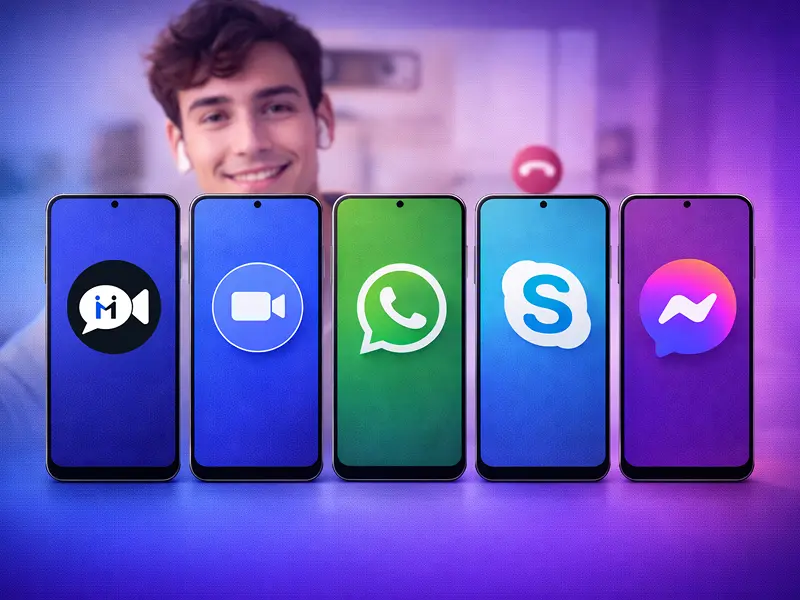
After analyzing bandwidth requirements across major platforms and examining real-world performance data, here are five free video calling apps that genuinely deliver HD quality, and what makes each one worth considering.
Something You Should Know:
- A standard 720p call requires 1.5 to 3 Mbps, while 1080p demands 3 to 6 Mbps.
- WhatsApp has nearly 3 billion monthly active users as of 2025.
- Google Meet claimed roughly 29% of the global video conferencing market in early 2025.
- Google Meet had over 300 million monthly active users in early 2025.
- Google Meet requires 2.6 Mbps for 720p group calls and 3.8 Mbps for 1080p meetings.
What Actually Determines HD Quality?
The “HD” label on a video calling app means almost nothing without understanding the underlying technical reality. HD quality in video calling requires three things working together:
- Sufficient bandwidth – Both upload and download speeds matter
- Efficient compression technology – How the app processes and transmits video data
- Adaptive streaming – The ability to respond to network fluctuations in real-time
According to bandwidth analysis from Fastpix, true 720p HD requires a minimum of 1.5 Mbps for upload and download speeds, while 1080p Full HD demands at least 3 Mbps.
But these are minimums under ideal conditions. Real-world performance requires considerably more – most experts recommend 10 to 25 Mbps download speeds and at least 5 Mbps upload speeds for consistently good HD video calling.
This explains why your internet connection might technically meet the requirements but still deliver poor call quality.
Other devices on your network, background applications consuming bandwidth, WiFi signal strength, and network congestion all affect real-world performance.
The best video calling apps handle these variables through adaptive bitrate streaming, which dynamically adjusts video quality based on current network conditions.
When your connection slows down, the app reduces resolution to maintain the call rather than freezing or dropping entirely. When bandwidth improves, quality automatically increases.
1. FaceCall
Here’s the problem every video calling app has failed to solve: you never actually know why someone is calling until you answer. FaceCall approaches this differently with its video caller ID feature, which shows you the purpose of the call before you pick up.
Think about how often you’ve ignored calls simply because you didn’t recognize the number or weren’t sure if it was important.
Or answered a call expecting one thing and discovered it was something entirely different.
FaceCall’s video caller ID addresses this by letting callers attach context to their calls – whether it’s a quick question, urgent matter, or casual catch-up.
The technical implementation is straightforward: FaceCall was built around secure video connections from the ground up, rather than bolting video functionality onto an existing messaging platform.
This architectural choice results in consistently reliable HD call quality across different network conditions.
What sets FaceCall apart:
- Video Caller ID – Know the “why” before answering, not just the “who”
- Adaptive HD quality – Maintains clarity even on lower bandwidth connections through intelligent compression
- Privacy-first approach – Built for secure connections without metadata collection
Best for: Anyone frustrated with not knowing the purpose of calls before answering, international users who want phone-number-free registration, and people who value knowing the “why” as much as the “who.”
2. WhatsApp
With nearly 3 billion monthly active users as of 2025, WhatsApp is the most widely used messaging app globally.
Video calling is built directly into its ecosystem, making it accessible to virtually anyone with a smartphone.
The app supports group video calls with up to 8 participants and offers stable HD quality when network conditions allow.
WhatsApp uses end-to-end encryption for all calls, meaning even WhatsApp itself cannot access your conversations.
What’s particularly impressive about WhatsApp is its optimization for low-bandwidth networks. The app intelligently adjusts video quality to maintain connection stability, which explains why it works reasonably well even on slower 4G networks.
Key features:
- Group calls with up to 8 participants
- End-to-end encryption for all video calls
- Optimized for low-bandwidth networks
- Universal accessibility across nearly all smartphones
The trade-off is metadata.
While calls are encrypted, WhatsApp (owned by Meta) collects information about who you call, when, and for how long. If privacy is your primary concern, other options on this list might serve you better.
Best for: International calls, connecting with family members who aren’t tech-savvy, and anyone already embedded in the WhatsApp ecosystem.
3. Google Meet
Google Meet claimed roughly 29% of the global video conferencing market and had over 300 million monthly active users in early 2025. That’s nearly double the user base of Microsoft Teams.
For HD quality specifically, Google Meet requires 2.6 Mbps for 720p group calls and 3.8 Mbps for 1080p meetings. The platform automatically adjusts video quality based on available bandwidth, which makes it particularly reliable for users with inconsistent internet connections.
What sets Google Meet apart is its deep integration with the broader Google ecosystem. If you’re already using Gmail, Google Calendar, or Google Drive, Meet feels like a natural extension of those tools.
Notable features:
- Up to 100 participants on free tier
- 60-minute limit for group calls (unlimited for one-on-one)
- Live captions and real-time translations
- AI-powered meeting summaries through NotebookLM
- Direct integration with Gmail and Google Calendar
The free tier is sufficient for most personal use cases, while paid Google Workspace tiers extend meeting lengths to 24 hours and expand participant limits to 1,000.
Best for: Users embedded in the Google ecosystem, business meetings with mixed personal and professional contacts, and anyone who needs advanced features like live captions or translations.
4. FaceTime
FaceTime has been pre-installed on every iPhone, iPad, and Mac since 2010, making it one of the most accessible options for Apple users.
The app supports group calls with up to 32 participants and delivers crystal-clear video quality that adjusts automatically based on network conditions.
Key capabilities:
- Group calls with up to 32 participants
- FaceTime Audio for superior voice quality
- Cross-platform web links (Android and Windows users can join via browser)
- Automatic quality adjustment based on network conditions
- Pre-installed on all Apple devices
Recent updates have expanded FaceTime’s reach beyond the Apple ecosystem through web links.
While not as seamless as the native Apple experience, this cross-platform functionality addresses FaceTime’s historically biggest limitation.
The downside remains obvious: the full, optimized experience requires Apple hardware. If you’re communicating primarily with Android users, FaceTime becomes a less practical choice despite its technical capabilities.
Best for: Apple users communicating with other Apple users, families with multiple Apple devices, and anyone prioritizing ease of use over platform flexibility.
5. Zoom
Zoom surged during the pandemic and maintains its position as a dominant player for professional video meetings. The free tier supports up to 100 participants with a 40-minute time limit for group calls and unlimited duration for one-on-one conversations.
For HD quality, Zoom requires 600 Kbps for basic one-on-one calls and 1.2 Mbps for 720p HD quality.
Group calls demand more bandwidth – 2.6 Mbps upload and 1.8 Mbps download for 720p group calls, jumping to 3.8 Mbps upload and 3.0 Mbps download for full 1080p HD group meetings.
Professional features on free tier:
- Up to 100 participants
- Screen sharing and virtual backgrounds
- Breakout rooms for group discussions
- Whiteboarding and collaboration tools
- Call recording capabilities
- 40-minute limit for groups, unlimited for one-on-one
The challenge with Zoom is that it can feel like overkill for casual personal calls. If you’re just catching up with friends or family, the interface and feature complexity might be more than you need.
Best for: Business meetings, educational contexts, large group calls, and situations where screen sharing or recording is essential.
The Bottom Line
Every app on this list offers genuine HD quality under the right conditions. Your choice should depend on who you’re calling, what features you need, and which ecosystem you’re already invested in.
Even though your purpose of calling is personalized for you, what matters is how well your video calling app serves you.
If you don’t feel in control of your communication or privacy, it’s a good sign that you need a replacement.
FaceCall solves the unique problem of knowing call context before you answer while maintaining HD quality across network conditions – all end to end encrypted.
If you’re tired of answering calls blind or want a video calling experience built for clarity in both video quality and call purpose, give FaceCall a try.