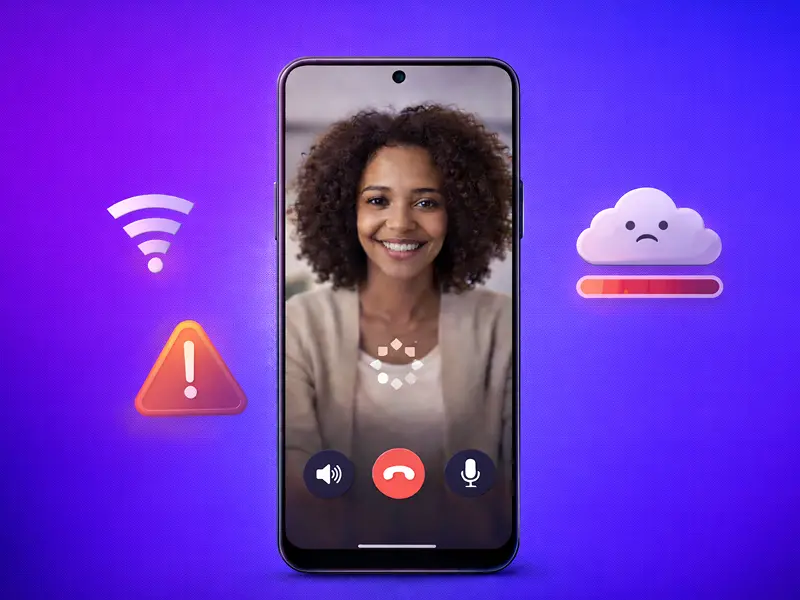
Most video calls are a disaster.
The video freezes at the exact moment you are making a key point. The audio sounds like it is coming from a submarine. And the lag makes it impossible to have a natural conversation.
In 2026, we spend more time on video calls than ever before. Yet, the performance hasn’t caught up to our expectations. If you are a professional in the US, poor call performance isn’t just a technical glitch.
It is a reputation killer.
When your video lags, you look unprepared. When your audio cuts out, you look unprofessional.
Today, I am going to show you how to fix this. These are the proven ways to improve your video call performance.
Let’s get started.
1. Eliminate Mobile Jitter by Prioritizing Connection Stability
Most mobile users believe that 5G bars are the only metric that matters. They see “Full Bars” on their iPhone or Android and assume their video call will be perfect.
They are wrong.
In the US, mobile network quality is defined by Latency and Jitter.
Latency is the round-trip time it takes for data to travel from your phone to the server and back. Jitter is the variation in that delay. If your jitter is high, your phone receives video packets out of order. The result? That “choppy” video effect, where people look like they are teleporting across the screen.
Actionable Tip: If you are on a mobile network, toggle off your Wi-Fi unless you are standing directly next to the router. Most mobile devices struggle with “Handoff.” If your phone is constantly trying to decide between a weak Wi-Fi signal and a strong 5G signal, the video stream will drop packets during every switch. Pick one stable connection and stick to it for the duration of the call.
2. Manage “Zombie Apps” to Prevent CPU Throttling
Your smartphone is a miracle of engineering, but it has a massive weakness: heat.
Video calling on a mobile device is one of the most resource-intensive tasks you can perform. It requires the simultaneous use of the camera, the microphone, the display, and the 5G modem. This generates significant heat. When your phone gets too hot, it enters a state called Thermal Throttling. It intentionally slows down the processor to cool off.
The Result? Your video frame rate drops from a smooth 30 FPS to a stuttering 10 FPS.
Actionable Tip: Kill your “Zombie Apps.” Before starting a high-stakes FaceCall, swipe up and close every single background application. Apps like Instagram, TikTok, and Google Maps continue to ping your GPS and refresh data in the background. By closing them, you reduce the CPU load and keep your phone cool, ensuring the hardware can dedicate 100% of its power to the video encoding process.
3. Leverage the FaceCall Pre-Call Handshake
This is where the technology shift happens.
Traditional mobile apps like Truecaller or WhatsApp wait until you hit “Accept” to start negotiating the video stream. This is why you often see a black screen for the first three seconds of a call.
FaceCall is different because of Video Caller ID.
Because of this architecture, FaceCall establishes a “Visual Handshake” while the phone is still ringing. It pre-loads the identity of the caller so that the technical connection is already warm when you answer.
Actionable Tip: Set a high-quality 5-Second Video Intro. Because FaceCall is the only platform with this technology, your identity is projected onto the recipient’s screen before they even pick up. This removes the “Identification Lag” that plagues other apps. You aren’t just a number; you are a verified face. In the US market, where spam calls are at an all-time high, this identity is the only way to achieve a 90% plus answer rate.
4. Master Mobile Lighting with the “Front-Facing” Rule
Most mobile video calls happen on the go. You’re in a car, a coffee shop, or an airport lounge. The lighting is almost always terrible.
When a mobile camera sensor doesn’t get enough light, it compensates by increasing digital gain. This introduces “noise” – that grainy, fuzzy look that makes your video appear low-resolution even if you have a brand-new flagship phone.
Actionable Tip: Always face your primary light source. If you are in a room with a window, turn your body so the window is in front of you, illuminating your face. If you are outdoors, avoid direct overhead sunlight, which creates “raccoon eyes” (harsh shadows under the brow). Instead, find a shaded area where the light is even. Never have a bright light or window behind you; the mobile sensor will “blow out” the background and turn you into a dark, unidentifiable silhouette.
5. Optimize Framing and the “Rule of Thirds” for Smartphones
Because smartphone screens are vertical and relatively small, how you frame yourself matters more than on a desktop.
Most people hold their phone too low, looking down into the camera. This is the “Double Chin” angle. It is not authoritative. It makes the recipient feel like they are looking up at you, which creates a psychological barrier.
Actionable Tip: Hold your phone at eye level. If you are sitting, prop your phone up on a stack of books or use a mobile tripod. Aim to have your eyes positioned about one-third of the way down from the top of the frame. This is the Rule of Thirds. It creates a balanced, professional look that feels like a natural face-to-face conversation.
6. Prioritize Audio with Peripheral Hardware
It’s an industry secret: people will tolerate mediocre video, but they will hang up on bad audio.
Smartphone microphones are designed to pick up sound from a distance, which means they also pick up wind, traffic, and background chatter. This is the #1 reason for “Mobile Fatigue.” Your listener’s brain has to work too hard to filter out the noise.
Actionable Tip: Never use the built-in speakerphone for a professional call. Use wired or high-quality wireless earbuds. This places the microphone closer to your mouth and utilizes the hardware’s built-in noise cancellation.
FaceCall takes this further by integrating proprietary audio cleaning. Because the platform is built for the US professional market, it filters out ambient frequencies (like a siren or a barking dog) while keeping your voice crisp. This ensures your performance is high-fidelity, regardless of your environment.
7. Utilize FaceCall Intention Tags to Reduce Cognitive Friction
In the US, we are obsessed with productivity. When a phone rings, the first thought is: “How long is this going to take?”
If the recipient doesn’t know the answer, they screen the call. This is where “Intentional Calling” becomes a performance metric.
Actionable Tip: Before you dial, select an Intention Tag in the FaceCall app. Tags like “Quick Question” or “Urgent” appear on the recipient’s screen alongside your Video Caller ID.
This is a strategic move. By telling the recipient exactly what to expect, you remove the “Cognitive Friction” of the unknown. They are significantly more likely to answer a call that they know will only take 60 seconds. This is the power of patented context – something legacy apps like Truecaller simply cannot provide.
8. The AI Safety Net for Missed Mobile Connections
What happens when you follow all the tips, and they still don’t answer?
On a traditional phone, your “performance” ends there. You leave a voicemail that won’t be listened to, or you become just another “Missed Call” notification that gets buried.
Actionable Tip: When a call goes unanswered, the AI doesn’t just hang up. It delivers your Video Intro and your Intention Tag as a persistent video message. The recipient sees your face, hears your voice, and understands your intent without ever having to dial into a legacy voicemail system. This ensures that the performance of your personal communication continues even when you aren’t on the line. It transforms a “Missed Call” into a “Video Prospectus.”
9. Data and Battery Management for High-Performance Mobility
If you are traveling, you need to maintain performance without killing your battery or hitting a data cap. Standard video apps are notorious “Data Hogs,” often using up to 1GB per hour.
Actionable Tip: FaceCall is optimized for mobile efficiency. It intelligently adjusts the resolution based on your battery level and signal strength. If your phone’s battery drops below 20%, the app will prioritize audio clarity and the “Visual Identity” layer while slightly lowering the video frame rate to save power. This allows you to finish your call without the phone dying—a critical performance factor for mobile professionals.
Why Video Caller ID is the Best Choice?
You may be wondering: “Can’t I just use a different app for these tips?”
The answer is no.
While you can change your lighting or your headphones, you cannot replicate the Video Caller ID that FaceCall provides.
Truecaller and other alternatives are stuck in the “Text and Spam” era. They rely on crowdsourced data that is often out of date or incorrect. They don’t give you the ability to project your own identity onto someone else’s screen.
FaceCall is the only platform in the world that gives you the legal and technical “Moat” of video identity. In an environment where US consumers are bombarded by scams, a verified video identity isn’t just a “nice-to-have” feature. It is the only way to remain relevant and reachable.
Also Read: Video Caller ID Guide
The Mobile Call Performance Checklist
To ensure your mobile calls are always high-performance, run through this checklist before your next dial:
- Connection: Wi-Fi off, 5G on (unless sitting next to the router).
- Apps: All background apps closed to prevent heat.
- Environment: Face a window or light source; camera at eye level.
- Hardware: Earbuds in; microphone clear of clothing.
- Identity: FaceCall Video Intro recorded and active.
- Context: Intention Tag selected for the specific call.
By following this framework, you are doing more than just “making a call.” You are leveraging technology to build trust, ensure clarity, and dominate your professional niche.
The era of the “Mystery Call” is over. It’s time to show the world who is calling.
And what better way to figure it out than downloading FaceCall?